


How Old Do I Look
4.0461.00 Reviews
App Specs
- Version
- 7.0.71
- Updated On
- License
- Free
- Downloads
- 1,000,000+
- Developer
- GlintTec Apps
- Categories
- Beauty
- Platform
- Android
Screenshots



 Analysis by AppCompare
If you’re trying How Old Do I Look for the first time, it helps to treat it as a playful photo app rather than a reliable way to measure age. I went in curious about what a face-based guess would say, and the best part was seeing how much the result could change when I changed the photo. It’s a quick activity for a quiet moment or a few laughs with friends, as long as you don’t take its verdict too seriously.
What to expect from an age-guessing app
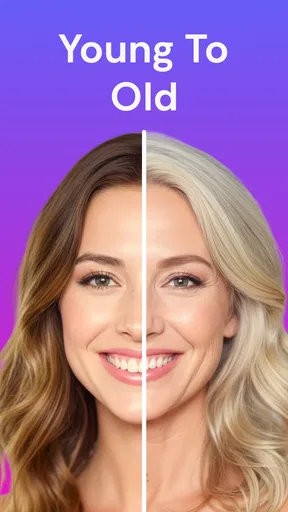
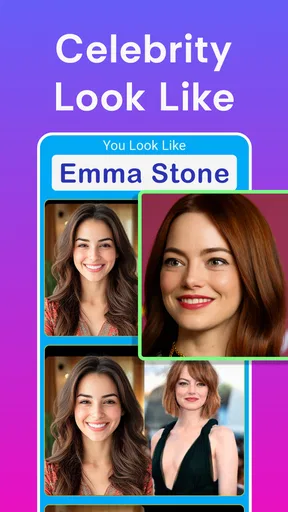
This is a free beauty app from GlintTec Apps, with a light, novelty-focused approach to photos. Its central idea is easy to understand: choose a picture or take a selfie, then see what age the app estimates from your face. The store summary also points to creative photo effects such as face swapping, celebrity look-alikes, cartoon and anime styles, and funny sketches, so the appeal reaches beyond a single age guess.
The app has been available since March 17, 2017, and its current version is 7.0.42. It has an average rating of 4.1 from around 11,000 ratings and more than a million installs. Those figures suggest that plenty of people enjoy trying it, but they don’t change the basic caveat: an estimate from one image is entertainment, not a dependable judgement about how old someone is.
I’d approach the result the way I would a party game: interesting enough to compare, but not something to use as a measure of appearance or self-worth. The age estimate can feel convincing when it happens to match your expectations, yet a different photo may produce a different impression. That unpredictability is part of the amusement, and also the reason I wouldn’t treat a single result as meaningful.
Getting started and finding a useful first result
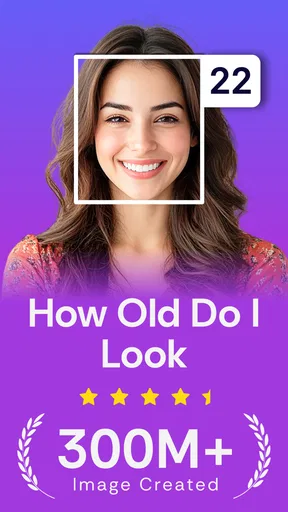
The first thing you notice about How Old Do I Look is its sleek and user-friendly interface. Downloading and setting up the app was a breeze — it took me less than a minute to get everything ready. Once you're in, the app prompts you to upload a photo from your gallery or take a new one. So, naturally, I snapped a quick selfie.
The app then works its magic, analyzing your photo to determine the age it thinks you look. It's all powered by some pretty nifty facial recognition technology. And while I'm not entirely sure how it does it, the results can be surprisingly accurate — or hilariously off. But that’s part of the fun!
Make the photo do less work
For a first try, I’d use a straightforward picture rather than a deliberately dramatic one. Face the camera, keep your face clearly visible, and choose even lighting if you can. This isn’t a trick for forcing a particular answer; it simply makes it easier to compare one result with another. If your first estimate seems strange, try a second image with a similar expression and a clearer view of your face before deciding the app is behaving randomly.
Worth Reading Before You Choose

EA SPORTS FC Mobile 26 Is a Bigger Football Game, but It Takes Time

Flipboard Shows What News Apps Must Do Beyond the Feed

Switching to Android Auto Means Rethinking Your Driving Routine

Google Calendar Makes a Crowded Week Easier to Manage

Ludo King Makes the Most of the Minutes Between Plans

Baby Panda World Brings Quick Play to Modern Phones, but Its Game Library Feels Busy
A useful small experiment is to compare a recent selfie with an older photo of yourself, then ask whether the difference seems tied to the image rather than to any real change. Keep the conditions roughly alike: a close, front-facing picture is easier to compare with another close, front-facing picture than with a side view or a group shot. The point is to make the comparison fair enough to be amusing, not to turn the app into a test.
When choosing from your gallery, think about what you want the result to say. A carefully chosen portrait gives you a cleaner age-guessing moment; a funny expression or unusual angle is better if the aim is simply to get a surprising response. Separating those two intentions saves time: use a clear image when you want to compare, and a goofy one when the group is looking for a laugh.
Features that stand out in a group
One of the coolest features of the app is its ability to analyze not just your age but also your gender. It’s fascinating to see how the app perceives different facial characteristics. You can also share your results directly on social media platforms, which adds a social twist to the whole experience. I ended up sharing mine with friends, and it sparked quite a few laughs and debates.
Additionally, the app offers a history feature where you can view previous analyses. This is great if you want to compare results over time or simply have a good laugh revisiting old photos.
That history is most useful when you treat it as a record of your experiments, not a diary of how you look. If you try the same picture again, or compare two versions with different lighting, keeping earlier results nearby can help you remember which image produced which guess. For a group, it also makes it easier to revisit the funniest outcomes without asking everyone to retake the same pictures.
A simple way to use it with friends is to let each person choose a photo before anyone sees the estimate. Make guesses first, then compare them with the app’s response. That keeps the social part focused on the surprise rather than on judging someone’s face. I’d avoid passing a phone around with someone else’s image unless they’re comfortable with it; a novelty result is only fun when the person in the picture is happy to take part.
Where the fun ends and the limits begin
Let’s be real: the app isn’t meant to be a serious tool for determining your real age. Instead, it’s all about the fun and surprise element. Whether you're looking to kill some time or entertain a group of friends, this app delivers. My friends and I had a field day guessing each other's ages before letting the app decide for us.
Of course, the results can sometimes be a bit off, especially if the lighting or angle of the photo is tricky. But I found that part of the charm — it gives you a reason to try again and again.
That same variability is a reason to stop after a couple of tries if the guesses begin to feel personal. Repeatedly swapping photos in search of a flattering answer can turn a light game into an unhelpful appearance check. I’d use it when I’m in the mood for a joke or a quick comparison, and close it when I’m looking for reassurance. It can’t tell you how other people actually perceive you, and it shouldn’t be asked to settle that question.
There’s also a practical difference between a photo toy and a full photo-editing app. If your goal is to make a polished portrait, adjust details carefully, or control a finished image, a dedicated editor is the better fit. If you want a fast age guess or a playful effect without building an elaborate edit, this app is closer to the experience you’re after. Its value is in the quick reveal, not in replacing a complete creative toolkit.
Who will enjoy it, and who should skip it
I’d recommend it to people who like testing photo effects, comparing silly predictions, or bringing a low-effort activity to a casual hangout. It also suits someone who wants to try a few different kinds of playful image treatment in one app rather than opening a professional editing suite. The age estimate gives you an easy starting point, while the other listed effects offer other ways to make a photo feel more humorous or stylized.
I’d skip it if you need an accurate age assessment, a serious beauty or skincare evaluation, or dependable guidance about how you look. It is also not the best choice for someone who finds appearance-based guessing stressful. A photo-based estimate is sensitive to the picture you choose, so people who want consistent, objective answers are likely to prefer a tool designed for a different purpose—or simply to avoid turning a selfie into a score.
For a realistic everyday use, imagine waiting with friends before dinner and having a few minutes to spare. One person takes a clear selfie, everyone makes a guess, and the app supplies its own answer; then the next person tries. The history feature can help you revisit the amusing results later, while sharing gives the group a way to pass along a moment they all enjoyed. It works best as a short diversion, not as the main event or a reason to keep taking pictures until everyone gets a preferred number.
Free to try, with purchases to keep in mind
The app is free to download, but it includes in-app purchases priced from $0.99 to $15.99 per item. I’d start with the free experience and decide whether the available features are enough before spending anything. Since the main attraction is a quick, playful result, there’s no need to buy something just to find out whether the basic idea appeals to you. If a purchase prompt appears while you’re exploring, take a moment to check what it covers rather than assuming every effect or option is included at no cost.
Its content rating is Everyone, which fits the broad, casual nature of the experience. Still, I’d use ordinary care when sharing photos: choose images you’re comfortable showing to the people you send them to, and be considerate if a picture includes someone else. That’s good judgement for any photo-sharing activity, especially one designed to turn a face into a result people may want to discuss.
For a first-time user, the easiest path is simple: install it, pick a clear photo, look at the estimate, and then try one contrasting image if you’re curious about how much the picture changes the outcome. After that, decide whether the result was entertaining enough to share or save in the history. You don’t need a complicated setup or a perfect selfie to understand what the app does; a couple of thoughtful tries are enough to get a fair sense of its appeal.
My take after trying it
In a world obsessed with youth and appearance, How Old Do I Look provides a light-hearted break. It’s not about taking yourself too seriously but rather enjoying a good laugh at the app’s guesses. Whether you're curious about how old you look or just want to see what it has to say, it’s worth giving this app a whirl.
So, if you’re ready to find out what age your selfie says about you, why not give it a try? It’s a fun little addition to your app collection and a guaranteed conversation starter.
Overall, the app delivers a fun, easy-to-use experience that’s sure to entertain. I’d recommend it for a quick laugh, a small group guessing game, or a curious comparison between photos, while keeping its estimates firmly in the realm of amusement. Take a selfie, see what it says, and move on if the result misses the mark; that relaxed approach is where this app is at its best.
Pros
- Quick and easy age prediction.
- User-friendly interface.
- No sign-up required.
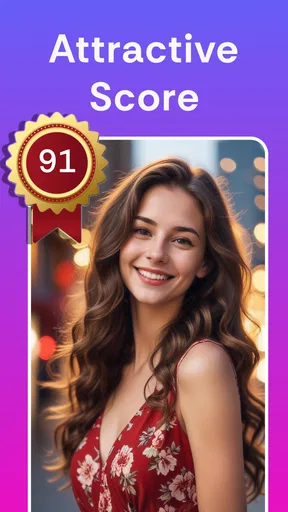
- Fun photo filters available.
- Lightweight app size.
Cons
- Inconsistent age accuracy.
- Limited editing features.
- Ads can be intrusive.
- No offline functionality.
- Privacy concerns with photo data.
FAQs for How Old Do I Look
What is 'How Old Do I Look' and how does it work?
'How Old Do I Look' is a fun and engaging app that uses facial recognition technology to estimate your age based on a photo you upload. Simply take a selfie or upload a picture, and the app analyzes facial features to provide an age estimate. It’s a light-hearted way to see how others might perceive your age.
Is the age estimation accurate in 'How Old Do I Look'?
While 'How Old Do I Look' uses advanced algorithms to estimate age, it’s important to remember that it’s intended for entertainment purposes. Results can vary based on lighting, photo quality, and facial expressions, so they should not be taken as scientifically accurate or precise.
Are my photos safe when using 'How Old Do I Look'?
The app ensures user privacy by securely processing images without storing them permanently. Always review the app’s privacy policy to understand how your data is used and ensure your comfort with their data handling practices before using the app.
Can I use 'How Old Do I Look' with photos from my gallery?
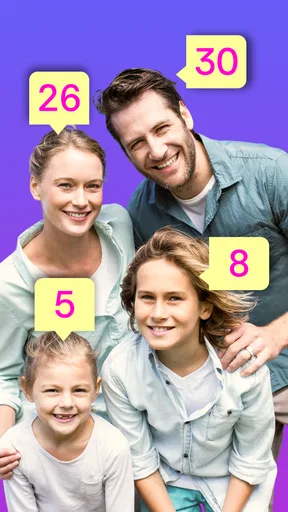
Yes, 'How Old Do I Look' allows you to upload photos directly from your device’s gallery. This feature makes it easy to test the app with different pictures, whether they are selfies, group photos, or older images you have stored on your device.
Is 'How Old Do I Look' free to use?
The basic features of 'How Old Do I Look' are typically free, allowing users to estimate their age without cost. However, there may be in-app purchases or advertisements. Check the app store listing for details on any additional costs or premium features available.


